Pages

13 January 2009

Configuring Static ip address in Ubuntu server


Ubuntu installer has configured our system to get its network settings via DHCP, Now we will change that to a static IP address for this you need to edit Edit /etc/network/interfaces and enter your ip address details (in this example setup I will use the IP address 172.19.0.10):

sudo vi /etc/network/interfaces

and enter the following save the file and exit

# The primary network interface

auto eth0
iface eth0 inet static
address 172.19.0.10
netmask 255.255.255.0
network 172.19.0.0
broadcast 172.19.0.255
gateway 172.19.0.1

Now you need to restart your network services using the following command

sudo /etc/init.d/networking restart

You need to setup manually DNS servers in resolv.conf file when you are not using DHCP.

sudo vi /etc/resolv.conf

You need to add look something like this

search domain.com

nameserver xxx.xxx.xxx.xxx

12 January 2009

The Future is OPEN

While surfing through the net, i stumble upon this cool video.

11 January 2009

Installing Ubuntu Hardy 8.04 LTS

Step 1 - Download the Ubuntu 8.04 Desktop ISO image, that corresponds to your hardware architecture (i386 or amd64), from here.

Step 2 - Burn the ISO image with your favorite CD/DVD burning application (on Windows, you can use one of the following applications: Nero, CDBurnerXP, Roxio etc) on a blank CD at 8x speed.

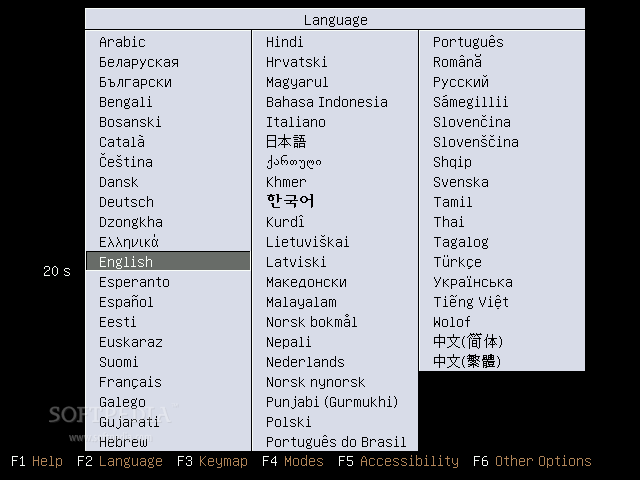
Step 3 - Insert or leave the CD in your CD/DVD-ROM device and reboot your computer. Select your language when asked:

Review image
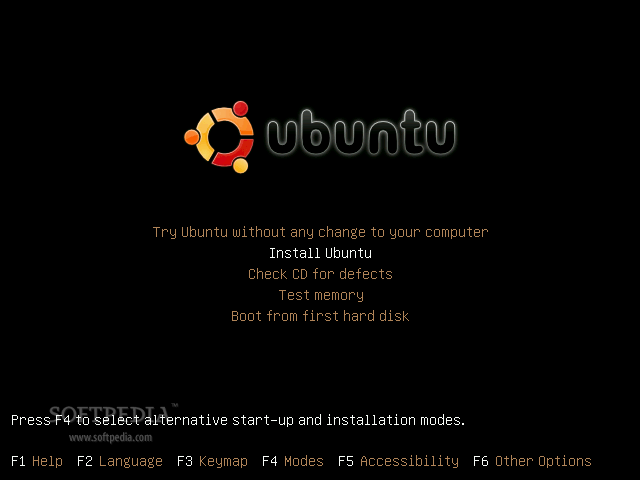
Then select the second option "Install Ubuntu" and hit Enter:

Review image


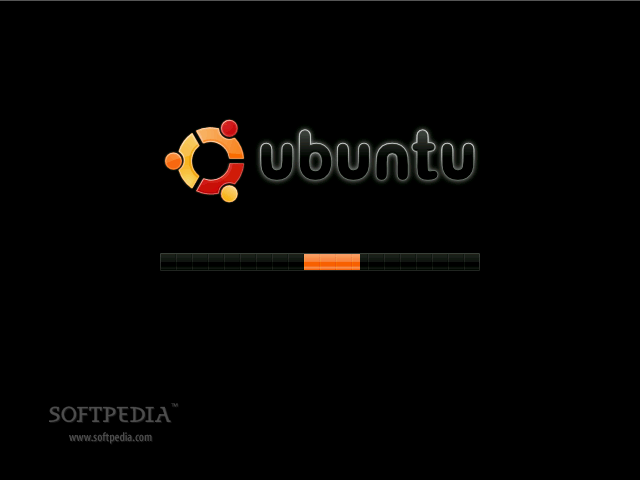
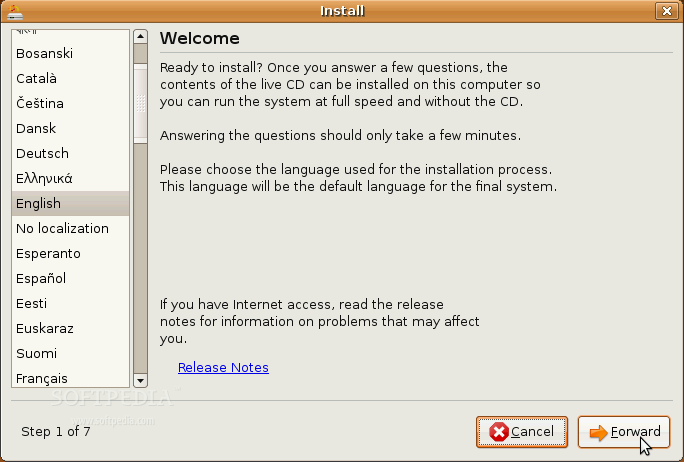
Step 4 - Wait for the CD to load into RAM, and when the installer appears, select your native language and click the 'Forward' button:

Review image


Review image


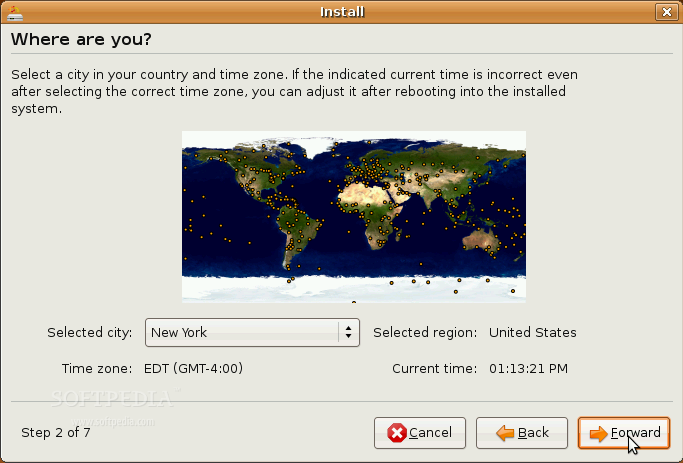
Where are you?

The second screen will feature a map of the Earth with little red dots, so you can select your city/country. Upon the current selection of your location, the time for the final system will adjust accordingly. You can also select your current location from the drop down list situated at the bottom of the window. Click the 'Forward' button after you have selected your desired location.

Review image


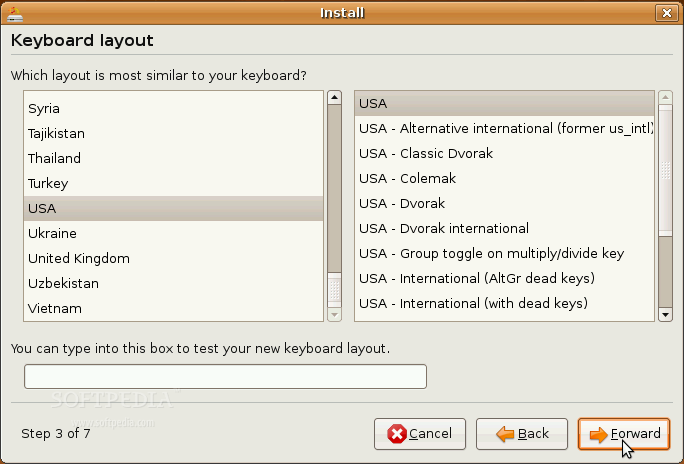
Test your keyboard

On the third screen, you will be asked to select the keyboard layout that suits you best (default is U.S. English). You can also test your keyboard on the little text input field situated at the bottom of the window. Click the 'Forward' button when you have finished with the keyboard configuration.

Review image


Hard disk partitioning

Hold on, don't leave just yet! The hard disk partitioning is an easy task, so I am quite sure you will manage to handle it too. You have three options:

Review image


1. If you want to keep your existing operating system (e.g. Dual boot with Windows XP), select the first option: "Guided - resize the partition and use the freed space".
2. If you want to delete your existing operating system and you want to let the installer to automatically partition the hard drive for you, select the second option: "Guided - use entire disk".
3. Manual is the third choice at this point and I strongly suggest you to use it if you don't have any other operating system installed and your hard drive does not contain important data on it. Follow the instructions below:

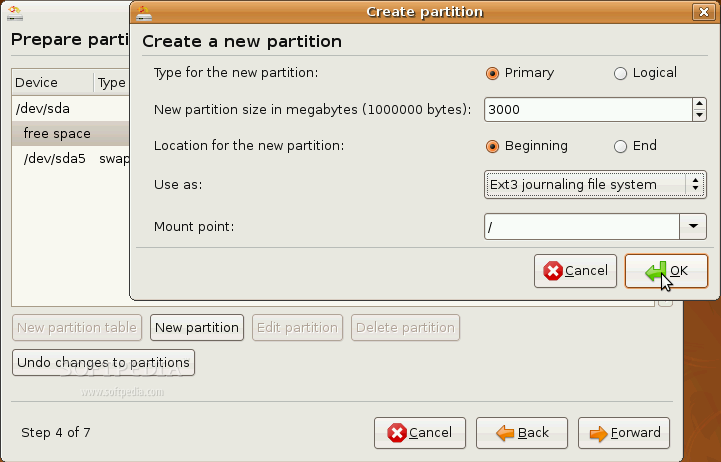
Choose the hard drive partition (or entire hard drive if you don't have any partitions) you want to format and click the 'Delete partition' button to delete the selected partitions. In the end, you should have a single entry called "free space", select it and click the 'New partition' button to create the 'root' partition. Select "Primary" for the partition type, set the size of the partition (in megabytes), leave the "Location for the new partition" and "Use as" options as they are and select the mount point "/" (just like in the image below).

Review image


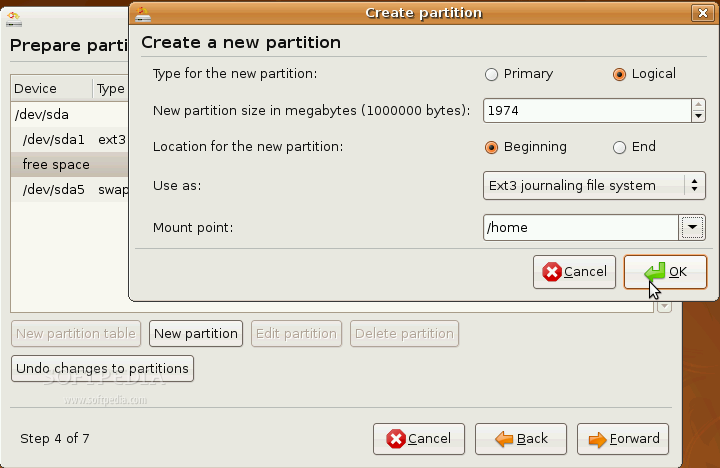
You should still have a "free space" line, select it and click the 'New partition' button to create the 'home' partition. Select "Logical" for the partition type, set the size of the partition (in megabytes), leave the "Location for the new partition" and "Use as" options as they are and select the mount point "/home" (just like in the image below).

Review image


You should still have some "free space" left, so select it and click the 'New partition' button to create the 'swap' partition. Select "Logical" for the partition type, set the size of the partition (in megabytes) twice your RAM (e.g. if you have 512 RAM, set the size to 1024), leave the "Location for the new partition" option as it is and set the "Use as" option to 'swap'.

WARNING: Be aware that all the data on the selected hard drive will be ERASED and IRRECOVERABLE!

Click the 'Forward' button to continue with the installation.

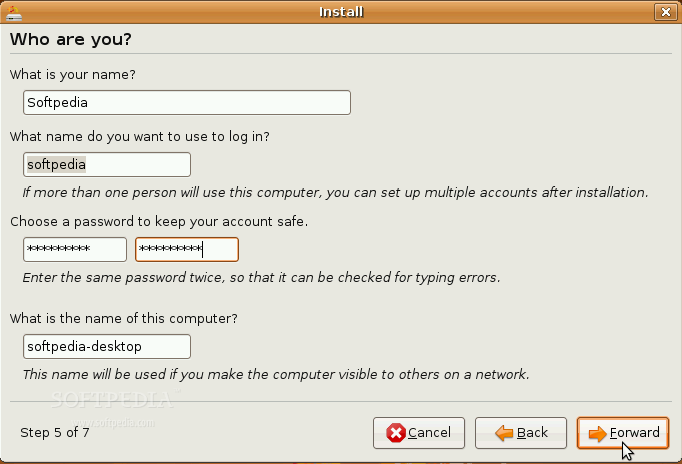
Who are you?

Here you must do exactly what the title of this step tells you to do. You must fill in a couple of fields with your real name, the name you want to use to log in on your Ubuntu OS (username), password and the name of the computer (automatically generated). Once you have finished with this step, click the Forward button again (for the last time).

Review image


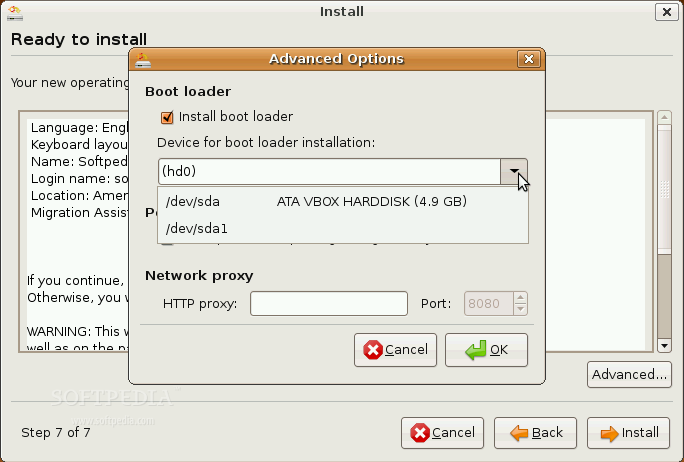
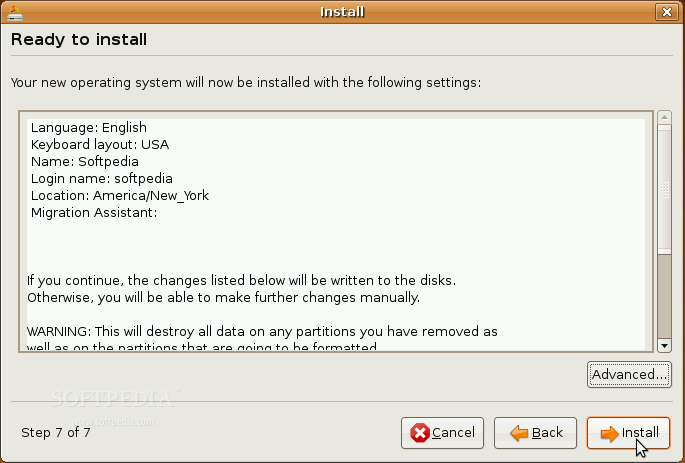
Are you really ready for Ubuntu?

If you have successfully arrived at this point, then you are definitely ready for your new Ubuntu operating system. So, what are you waiting for? Click the 'Install' button NOW!

Review image


Review image


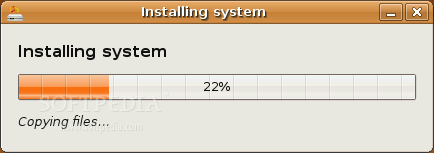
The Ubuntu 8.04 (Hardy Heron) operating system will be installed...

Review image


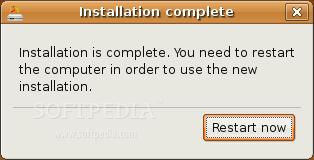
Step 5 - After approximately 8 to 10 minutes, a pop-up window will appear, notifying you that the installation is complete and you need to restart the computer in order to use the newly installed Ubuntu:

Review image


Review image


Review image


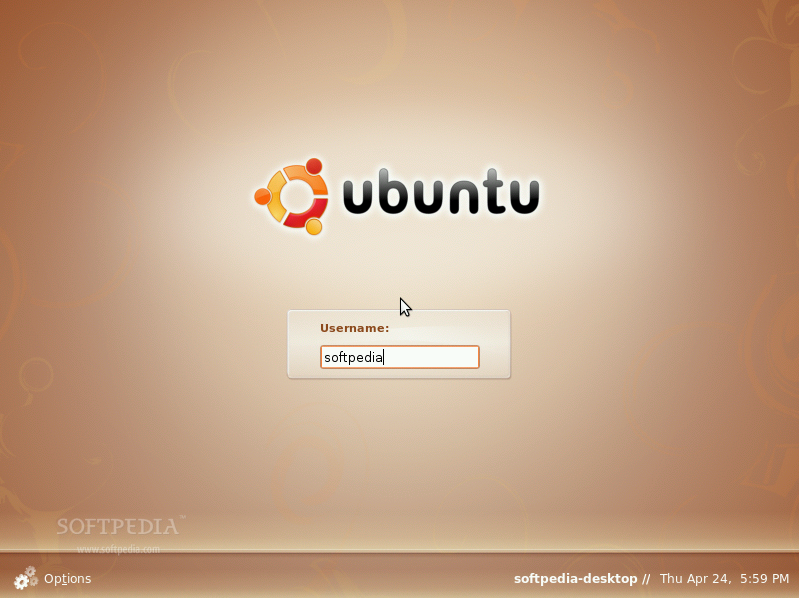
You've probably clicked the 'Restart now' button, because you were very excited to see your new Ubuntu operating system at work. Well then, have fun using it!

01 January 2009

Compiz on Ubuntu - tutorial

Seperti yang dijanjikan, tutorial untuk install compiz on ubuntu.
** Tutorial taken form - http://www.tectonic.co.za/wordpress/?p=916 ** so.. credits goes to them, not me~!!!

Step one
Let’s add dapper sources to apt. If you are one of the lucky ones already running it, skip to the next step. Otherwise, just throw this line in /etc/apt/sources.list/: deb http://archive.ubuntu.com/ubuntu/ dapper main universe restricted multiverse apt-get update, apt-get dist-upgrade, and you’re good to go. As has been mentioned in some feedback, this can take a long time, especially for those without very fast connections. However, I would recommend it for this tutorial. My main man Exdaix reports that trying to pull down the Compiz package on Breezy ended up pulling down a lot of Dapper packages anyway… so be cool like him, and dist-upgrade.

Step two
Let’s pull down some new stuff. Since around 15 February, everything you need should be in two packages. Ubuntu has now split the Compiz window manager components into separate packages. Depending on your desktop environment, add compiz-gnome or compiz-kde to this list. Open a terminal, and: apt-get install xserver-xgl compiz (compiz-gnome or compiz-kde here) Okay! Compiz and everything we need is installed.

Step three
Now, everything we need is ready. We just have to invoke it. My technique of preference is to stick everything in userspace scripts, rather than create symlinks or modify gdm.conf-custom. I do this because (like before) I’m lazy, and would rather not make system-wide changes if I don’t have to. So, open your favourite text editor. Throw this little passage in ~/.Xsession (and create if necessary): (Credit for the original version of this script goes to http://doc.gwos.org/index.php/Installxgl.) Note: I have an ATI card. If you are using Nvidia, try replacing Xgl :1 -fullscreen -ac -accel xv -accel glx:pbuffer & with Xgl :1 -fullscreen -ac -accel xv:fdo -accel glx:pbuffer &. If you want to run KDE, try replacing gnome-window-decorator with kde-window-decorator, and exec gnome-session with exec startkde.

#!/bin/sh
# Start up Xgl, compiz, and GNOME
# Run Xgl server on :1, on top of normal X
Xgl :1 -fullscreen -ac -accel xv -accel glx:pbuffer &
# Tell subsequent X programs to access the Xgl server at :1
DISPLAY=:1
# Start Compiz window manager
gnome-window-decorator &
compiz gconf decoration wobbly fade minimize cube rotate zoom scale move resize place menu switcher &
# Start GNOME
exec gnome-session

Now make sure it’s +x’d/executable with chmod +x ~/.Xsession. We have now set up your user X session to start the Xgl acceleration on top of regular X, initialize Compiz, and then start Gnome in the new GL-groovified layer. Do note that since Gnome is running on top of our Xgl layer, Gnome and your desktop applications will be running on the Xgl display :1 instead of the usual :0. Try ‘Er Out!
Let’s see if what we did worked. Now cross your fingers, clamp your eyes shut, and reverently whisper “gui acceleration.” Yes, you’ll have to close this Howto. Try to hold back the tears, however hard that may be. Here’s what we’ll do. In just a moment, log out of Gnome. Then open that menu at the bottom left and change the session: make sure you’ve selected the default session setting, so that our .Xsession file is run. But wait, where’s my fallback plan? What if things go wrong? If anything breaks or starts acting scary, just close down, reboot, or somehow intervene. If you wish to undo, simply go back to GDM and change the session to “Failsafe Gnome.” The .Xsession file responsible for initializing the Xgl layer should not run, and you can delete it in the comfort of your gui environment. In the worst case, you can log into single user mode from grub and delete the file there. I include this because I know it’s no fun to be left with a non-functioning X configuration without knowing how to undo it - only because I’ve been there so many times. This is not rocket science, but it *should not* torch your system. However, know that there are lots of options. If things work, you’ll see a checkerboard pattern come up on login, followed by a blue background. The Gnome splash screen will then fade and wobble in with the most rockin’ graphics you’ve ever seen. Come right back here and I’ll show you what you can do with your new bling machine. Now, go do it! May the geforce be with you, and all that.